|
PC GAMES
News
Reviews
Previews
Movies/Media
Downloads
Hints/Codes
GameGuides.com
Special Features
Beta Center
Release Calendar
Forums
Top Games
PC GENRES
Action
Adventure
Driving
Puzzle
Role-Playing
Simulation
Sports
Strategy
SWITCH TO:
VIDEO GAMES
GAMESPOT LIVE
GAMEBUYER
HARDWARE
SUBSCRIBE TO:
PC Newsletter
HW Newsletter
ELITE SERVICES
Join GameSpot
SEE ALSO
GameFAQs
Gamespy Arcade
Netflix
INFORMATION
Help
Contact Us
International
|
|

Chapter 4: Military
Fundamentals
Conquering Cities
While the intricate details of waging war are covered in detail in Chapter
7, one element should be covered now because of its importance: specifically,
the act of overtaking opposing bases. As a leader, you ultimately have
two options for expanding your empire: founding new cities or taking over
the cities of your enemy.
| |
 |
| |
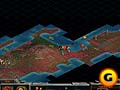
In the early game, city sieges aren't too complicated.
If this were in the later part of the game though, you'd want to soften
up this city with artillery and air strikes first. |
| |
|
| |
"The
Military don't start wars. Politicians start wars."
- William Westmoreland |
Step 1: Determine City Size
When your military unit approaches anenemy
city, you will see the population number clearly displayed over the city
itself. As explained in Chapter 2, the larger the number, the bigger the
city. Just because a city may be large doesn't necessarily mean it will
be more difficult to take over. However, large cities are more than likely
to be well defended by the computer, while lower population cities more
often than not have scant defenses.
Step 2: Soften Up the City
Before launching a full-scale attack on an opposing city, you should attempt
to soften it up by using any artillery units you have. Artillery lets
you attack from two squares away and inflict damage on all units within
the city. While artillery attacks won't completely destroy the units under
fire, they do inflict some moderate damage and, most importantly, prevent
the units within the city from repairing their damage.
Step 3: Bring in the Air
Support
If you have the air power technological advancement, you should have a
fleet of several aircraft at your disposal. Aircraft are excellent for
taking out garrison units in an opposing city, but certain precautions
should be made:
1. Make sure the aircraft can
make it back to a friendly city after it attacks. Otherwise, you will
lose the plane when it runs out of fuel!
2. Make sure the enemy has no air defense units nearby that could easily
take out your air assault units.
3. Have several infantry or tanks nearby for a city takeover.
Step 4: Takeover the City
After you've softened up the city defenses with artillery bombardment
and air assaults, you're ready to bring in the ground units for takeover.
You can only take over a city when every unit within that city has been
destroyed. If all opposition has been destroyed, simply move a ground
unit into the city, and it will become yours!
|
WARNING
You can only take control of cities with a population level of 2
or more. When attacking a level 1 city, you will completely destroy
it!
|
Next: Defending Your City
GameSpot is a CNET Networks Media Property. Copyright ©1995-2001 CNET Networks, Inc. All rights reserved. Privacy policy.
|
|
|