Before messing with the control panel inside the room, approach the door and click on the locking mechanism. Open the door and notice it exits back into the red-lit corridor you passed when you were moving toward the chasm (this door was previously locked when you attempted to enter from the other side). You now have a different route back through the chasm or the age's start position.
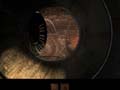
Cross the large pipe to discover the location where the hot air is supplied from. |
Turn around and approach the control panel and window. You can't quite see it, but the room is actually filled with molten lava. Look along the upper edge of the room and spot the fan. Your goal is to get that fan working, with the lava inside the room, so the dock area can be supplied with hot air. First things first, however--you must remove the lava so you can enter the room and investigate the fan!
Examine the control panel carefully--note Saavedro has left a little present in the form of a bolt wedged in the panel's center section. You can experiment with the switch if you wish. To lower the lava, click on the switch and hold; then move the switch up and to the left (in a counterclockwise direction). Move the switch until you hear two clicks. Release the switch, and it will automatically rotate around.
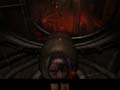
Use this control panel to drain the lava out of the room. |
You have now lowered the lava, but you've also done something else. Let's head into the room to investigate. Head down the ladder and open the door into the lava room, which is now lava empty! Turn left and walk onto the platform. Look up and note the position of the fan as well as a control switch underneath the fan. Remember, your goal is to get hot air to the ship. Somehow you need to figure out how to turn the fan on--perhaps that control switch does the trick!
While on the platform, approach another control panel--with a familiar red switch. Click and hold the switch. Rotate the switch down and to the right in a clockwise motion. This raises the platform you're standing on. You can examine a nearby painting (which was left by Saavedro) by moving the red switch through the center of the control panel (to the left), though you need to perform the action to reach the fan switch as well.
Click and hold the red switch again. Move the red switch counterclockwise to raise the platform again. Step forward, and you will be next to the switch that activates the fan. Click on the switch to turn on the fan. Return to the control panel and click and hold the red switch. Rotate the red switch clockwise to lower the platform one level. Click and hold the red switch. Slide the red switch to the right. Lower the platform to the ground by clicking and holding the red switch then rotating the switch counterclockwise. You're back on the ground, and the fan is working!
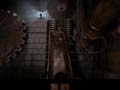
You must use the control panel inside this room to raise the platform to the fan switch. |
Before you leave the platform, click and hold the red switch and pull the switch to the left. Don't rotate the switch. Leave the room and ascend the ladder back into the main control room. Approach the control panel there and click and hold the red switch. Rotate the switch counterclockwise. The lava rises back into the room, and the fan continues to move--you're supplying hot air! Return to the dock, either through the shaft (above you) or through the tunnel and chasm (by exiting the door).

 Home
Home


 News
News