| |
PC GAMES
News
Reviews
Previews
Movies/Media
Downloads
Hints/Codes
GameGuides.com
Special Features
Beta Center
Release Calendar
Forums
Top Games
PC GENRES
Action
Adventure
Driving
Puzzle
Role-Playing
Simulation
Sports
Strategy
SWITCH TO:
VIDEO GAMES
GAMESPOT LIVE
GAMEBUYER
HARDWARE
SUBSCRIBE TO:
PC Newsletter
HW Newsletter
ELITE SERVICES
Join GameSpot
SEE ALSO
GameFAQs
Gamespy Arcade
Netflix
INFORMATION
Help
Contact Us
International
|
|

Proximity Sensor
Classification: Non-Combat
Race: Kushan/Taiidan
Cost: 50 RUs
The importance of proximity sensors is simple: detection of cloaked units. Always place proximity sensors around your primary resource patch (to make sure none of your opponent's cloaked vessels sneak inside). Further, include a proximity sensor with your capital-ship group. As you move to attack your opponent, you'll be able to spot any cloaked vessels in the area (such as a cloaked salvage group or other attack group coming from another direction). Simply select the proximity sensor and order it to guard your lead capital ship.
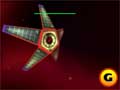
Build plenty of proximity sensors and position them around the map as protection against cloaked vessels. |
Proximity sensors are inexpensive and easy to maneuver. Scouting is extremely important in multiplayer games. You should repeat the motto "no surprises" and keep repeating it as you construct many proximity sensors and spread them across the map. Not only do the small devices detect cloaked vessels, but they also alert you to enemy presence and movements.
Conversely, be on the lookout for enemy proximity sensors. Use a squadron of scouts or interceptors to scour the map and eliminate any you find, especially if you wish to implement cloaking technology into your assaults. The single-player game also provides many uses for the proximity sensor, both building your own to detect cloaked vessels and destroying the enemy's to open a path for your own cloaked ships.
Sensors Array
Classification: Non-Combat
Race: Kushan/Taiidan
Cost: 800 RUs
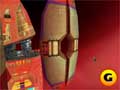
The sensors array will enhance the long-range sensor map by displaying the extent of your opponent's fleet. |
Normally when you switch to the long-range sensor map, you can't see the extent of the enemy force. Tightly packed forces will only appear as a single radar blip. For instance, you might notice a single red blip inside the resource patch. Logic suggests this is a resource collector harvesting dust clouds and asteroids. If you create a sensors array, the red blip will change to multiple red blips if there are additional ships in that same area (such as ships protecting the resource collector).
Though it's expensive, the sensors array can provide vital information about your opponent's offensive and defensive capabilities. You'll be able to tell if there are ships protecting the resource group, how many ships are protecting the mothership, and, perhaps most importantly, how many ships your enemy is sending on an attack. You can then apply the information from the sensors array to your attack technique. If you notice no ships protecting the resource group, send an attack. If you notice defense forces pulling away from the mothership to protect the resource group, move an assault on the mothership.
GameSpot is a CNET Networks Media Property. Copyright ©1995-2001 CNET Networks, Inc. All rights reserved. Privacy policy.
|
|
|
|
|
ALSO
CHECK OUT
HOMEWORLD
DOWNLOADABLE
GAME GUIDE |
| |
Definitive ship and resource management strategies
Masterful movement and combat methods
Comprehensive unit information
Detailed campaign walk-through
Proven multiplayer tactics
Requires Adobe Acrobat 3.0 or higher
click
here for more info...
|
|


