| |
PC GAMES
News
Reviews
Previews
Movies/Media
Downloads
Hints/Codes
GameGuides.com
Special Features
Beta Center
Release Calendar
Forums
Top Games
PC GENRES
Action
Adventure
Driving
Puzzle
Role-Playing
Simulation
Sports
Strategy
SWITCH TO:
VIDEO GAMES
GAMESPOT LIVE
GAMEBUYER
HARDWARE
SUBSCRIBE TO:
PC Newsletter
HW Newsletter
ELITE SERVICES
Join GameSpot
SEE ALSO
GameFAQs
Gamespy Arcade
Netflix
INFORMATION
Help
Contact Us
International
|
|

Ship Movement and Combat
Moving in three dimensions.... We do it every day, but trying to do it on a two-dimensional screen, which can only suggest the illusion of space, is a different matter. For players weaned on flat-mapped strategy games, Homeworld movement and combat is a big step.
Ship Movement
If you don't have a clear understanding of formations, tactics, and guarding, your Homeworld fleets can quickly become a chaotic tangle of ships. But before understanding how to move a fleet in an organized way, you must learn how to move a fleet at all.
Moving in a 3D World
Homeworld's units orient themselves with respect to a horizontal plane, which somewhat disguises the true three-dimensionality of the playing field. Players who use the vertical axis have a big advantage over those who don't. Not only do you add a fifth and sixth direction for attacks, but you force players who don't normally use the vertical axis to struggle with it.
Using the Long-Range Sensor Map
Select the units you wish to move, and hit the space bar to zoom out to the long-range sensor map. Adjust the horizontal movement of your units first, then the vertical, and finally the horizontal again.
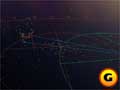
Use the long-range sensor map to move great distances. Use the shift key for vertical movement. |
To do this, rotate the camera so you are looking straight down at your units. Hit M and pull the mouse to adjust the horizontal destination. Now rotate the camera so you are looking along the playing field, and use the shift key to adjust the vertical. Finally, check your horizontal again, to be sure it didn't slide off target while you were adjusting your vertical.
The long-range map often shows you how far on the horizontal plane a radar blip is from your own vessels, and those indicator lines can help. Adjust your horizontal until the indicator line changes color, and then adjust your vertical. This method is best accomplished while looking down at the map at about a 45-degree angle.
GameSpot is a CNET Networks Media Property. Copyright ©1995-2001 CNET Networks, Inc. All rights reserved. Privacy policy.
|
|
|
|
|
ALSO
CHECK OUT
HOMEWORLD
DOWNLOADABLE
GAME GUIDE |
| |
Definitive ship and resource management strategies
Masterful movement and combat methods
Comprehensive unit information
Detailed campaign walk-through
Proven multiplayer tactics
Requires Adobe Acrobat 3.0 or higher
click
here for more info...
|
|


