Please visit our sponsors !
Cascading Style Sheets: Designing for the Web

The description below is the publishers own description.
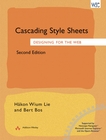 |
Title: Cascading Style Sheets: Designing for the Web, 2nd
edition
ISBN: 0201596253
Pub Date: July 1999
Pages: 416
|
Summary
Cascading Style Sheets, Second edition, is a clear, readable, informative and thorough look at the World Wide Web Consortium's specification for CSS2, written by the World's leading authorities on CSS.
This book contains:
• complete coverage of CSSI and CSS2
• background information and practical examples
• information on which browsers support which CSS features
The World Wide Web Consortium (W3C) was created to lead the Web to its full potential by developing common protocols that promote its evolution and ensure its vendor-neutral operability. It is an international consortium with over 300 Member organizations.
Table of Contents
1. The Web and HTML.
The Web.
Markup Languages.
Dodging the Limitations of HTML.
HTML Basics.
Document Trees.
2. CSS 30.
Rules and Style Sheets.
“Gluing” Style Sheets to the Document.
Browsers and CSS.
Tree structures and inheritance.
Overriding Inheritance.
Properties that don't inherit.
Common tasks with CSS.
A word about Cascading.
3. The Amazing EM Unit and Other Best Practices.
4. CSS Selectors.
Selector Schemes.
Type Selectors.
Simple attribute selectors.
The STYLE Attribute.
Combining Selector Types.
Simple contextual selectors.
External information: pseudo-classes and pseudo-elements.
DIV and SPAN.
Advanced attribute selectors.
Advanced contextual selectors.
Advanced pseudo-classes.
Advanced pseudo-elements.
The “any” selector.
5. Fonts.
Typesetting terminology.
Classifying font families.
The font-family property.
Font metrics.
Length units.
Percentages as values.
The font-size property.
The font-style property.
The font-variant property.
The font-weight property.
The font property.
The font-stretch property.
Numbers as values.
The font-size adjust property.
The text-decoration property.
The text-transform property.
More information about fonts.
6. WebFonts.
Prerequisites for WebFonts.
Font Descriptions.
Font Descriptors.
Basic font descriptors.
Resource descriptors.
The Unicode-range descriptor.
Matching descriptors.
Synthesis descriptors.
Alignment descriptors.
7. The Fundamental Objects.
The box model.
The display property.
Creating side-heads.
Achieving different effects.
More about lists - the list-style properties.
The list-style-type property.
The list-style-image property.
The list-style-position property.
The list-style property.
Generated text, counters and quotes.
The white-space property.
8. Space Inside Boxes.
Space inside Block-Level Elements.
The text-align property.
Right aligning text.
Justifying text.
The text-indent property.
Using the text-indent property.
The line-height property.
Using the line-height property.
The word-spacing property.
Using word spacing.
The letter-spacing property.
The vertical-align property.
9. Space Around Boxes.
Margins and the margin properties.
Using the margin property.
Common usages of the margin properties.
The padding properties.
The border properties group.
The border-color properties.
The border-style properties.
The border-width properties.
Using the border-width properties.
The border properties.
Using the border properties.
Working with the border properties.
Outline borders.
Collapsing margins.
The width property.
The height property.
The clear property.
Minimum and maximum widths and heights.
The whole story on width computation.
Case 1: no value is “auto.”
Case 2: one value is “auto.”
Case 3: two or three of the three values are “auto.”
Overflow.
10. Relative and Absolute Positioning.
The position property.
The containing block.
Relative positioning.
Fixed positioning.
Absolute positioning.
The z-index property.
Making elements invisible.
11. Colors.
Specifying colors.
The properties.
Setting the color of a border.
Setting the color of hyperlinks.
The background properties.
The background color property.
The background image property.
The background repeat property.
The background attachment property.
The background position property.
The background property.
Setting the background of the canvas.
Shadows.
12. Printing and Other Media
Page breaks.
Page areas.
Media-specific style sheets.
13. Aural Style Sheets.
Introduction to aural style sheets.
Volume properties: volume.
Speaking properties: speak.
Pause properties: pause-before, pause-after, and pause.
Cue properties: cue-before, cue-after, and cue.
Mixing properties: play during.
Spatial properties: azimuth and elevation.
Voice characteristic properties: speech-rate, voice-family, pitch, pitch-range, stress, and richness.
Speech properties: speak-punctuation and speak-numeral.
14. From HTML Extensions to CSS.
Case 1: Magnet.
Case 2: Cyberspazio.
Case 3: “The form of the book.”
Case 4: “The new typography.”
Case 5: TSDesign.
15. Cascading and Inheritance.
Example 1: The Basics.
Example 2: conflicts appear.
Example 3: accommodating user styles.
Example 4: a more complex example.
The “inherit” keyword.
16. External Style Sheets.
Why external style sheets?
External HTML style sheets.
Linking to style sheets.
External XML style sheets.
W3C Core styles.
17. Other Approaches.
Creating a document without using a style sheet.
Using a different format from HTML.
Using XSL.
18. XML Documents.
Experimenting with XML.
Some examples.
19. Tables.
The parts of a table.
The collapsing borders model.
The separated borders model.
Alignment.
Sizes.
Setting background colors.
“Collapsing” columns and rows.
Inline tables.
XML and tables.
20. The CSS Saga.
Browsers.
Appendix A: HTML 4.0 Quick Reference.
Document structure.
The HEAD element.
The BODY element.
Text-level elements.
Special characters.
Appendix B: Reading Property Value Definitions.
Multiple values.
Tying it all together.
Appendix C: System Colors.
Buy
this book at Amazon USA
Buy
this book at Amazon UK
Jump to: Top of Page
or HOME or
 Printer friendly page
Search W3Schools:
What Others Say About Us
Does the world know about us? Check out these places:
Dogpile
Alta Vista
MSN
Google
Excite
Lycos
Yahoo
Ask Jeeves
We Help You For Free. You Can Help Us!
W3Schools is for training only. We do not warrant its correctness or its fitness for use.
The risk of using it remains entirely with the user. While using this site, you agree to have read and accepted our
terms of use and
privacy policy.
Copyright 1999-2002 by Refsnes Data. All Rights Reserved
|