|
PC GAMES
News
Reviews
Previews
Movies/Media
Downloads
Hints/Codes
GameGuides.com
Special Features
Beta Center
Release Calendar
Forums
Top Games
PC GENRES
Action
Adventure
Driving
Puzzle
Role-Playing
Simulation
Sports
Strategy
SWITCH TO:
VIDEO GAMES
GAMESPOT LIVE
GAMEBUYER
HARDWARE
SUBSCRIBE TO:
PC Newsletter
HW Newsletter
ELITE SERVICES
Join GameSpot
SEE ALSO
GameFAQs
Gamespy Arcade
Netflix
INFORMATION
Help
Contact Us
International
| |

At L'Ermitage, approach the cave and locate the note just inside. Pick up and read the note. Once you've acquired the note, open up your inventory and select the coordinate device. Exit the inventory and use the coordinate device on Grace to bring up the device's interface. In the upper left corner of the screen, you'll notice an overhead map and latitude and longitude coordinates at the bottom. Don't touch anything on that upper left area. What you want to do is simply move Grace around and notice how the latitude and longitude readings change.
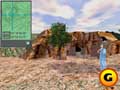
Use the coordinate device to mark the center of the circle. |
With the coordinate interface active, walk around until Grace is on top of the center of the circle from the SIDNEY map. Check your inventory to get the coordinates or jot them down from the SIDNEY interface from your hotel room. The spot should be close to the cave's entrance. When you're close, Grace will automatically draw an X in the dirt with her foot. Open up your inventory and select the shovel. Use the shovel on the X. Before you leave L'Ermitage, you can select the St. Anthony and St. Paul postcard from your inventory on the rock formation to the left of the cave. Grace compares the two. Further, select the cave, open the verb menu, and select "point" for additional information.
SIDNEY
When finished at L'Ermitage, get back on the Harley and return to Rennes-le-Chateau and your hotel room. Approach the desk in the corner and fire up SIDNEY by using the laptop. Use the ADD DATA function at the top menu bar and scan in the three postcards you purchased from the museum. Also, you can select the SEARCH function from the top menu and perform a search on Solomon from the clues you obtained at L'Ermitage.
GameSpot is a CNET Networks Media Property. Copyright ©1995-2001 CNET Networks, Inc. All rights reserved. Privacy policy.
|
|
| |
|











