|
PC GAMES
News
Reviews
Previews
Movies/Media
Downloads
Hints/Codes
GameGuides.com
Special Features
Beta Center
Release Calendar
Forums
Top Games
PC GENRES
Action
Adventure
Driving
Puzzle
Role-Playing
Simulation
Sports
Strategy
SWITCH TO:
VIDEO GAMES
GAMESPOT LIVE
GAMEBUYER
HARDWARE
SUBSCRIBE TO:
PC Newsletter
HW Newsletter
ELITE SERVICES
Join GameSpot
SEE ALSO
GameFAQs
Gamespy Arcade
Netflix
INFORMATION
Help
Contact Us
International
|
|
General Strategies and Tactics
Knowing How Best to Attack
Selecting the limit of 12 combat units and right clicking on an enemy target is not the proper means of conducting a battle. Different types of units demand correspondingly different techniques to use them properly. Even if he is heavily outnumbered, a commander who knows how best to control his forces will easily defeat an opponent who is not aware of the various ways in which to order his troops.
The right mouse button is defined as the Move function. Never use it in battle. When ordered to Move, your units will rush toward the selected point regardless of enemy presence. If you attempt to right click an enemy unit in battle while many of your forces are selected, and by chance the unit moves out of the way at the last moment, your units will cease firing and move to that point. Your enemy will take this opportunity to finish them off. Use the Attack function whenever moving your forces into unknown terrain or when designating a target. The best way to do this is to use the hotkey A and left click the direction in which you want your forces to move. When issued an Attack command, your forces will move to the designated point but stop to engage the nearest, most dangerous threat that should stand in their way.
| | 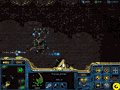
A Protoss Arbiter locates a weak point in the enemy base and ushers in massive reinforcements |
The Attack command is vital for close-range melee units like Protoss Zealots and Zerg Zerglings. If you order a group of these to attack a single target, your front ranks will engage it while the rest wait idly for their turn. However, if you use the Attack command and select an area beyond the enemy presence, your melee units will rush the enemy, fan out, and engage as many different targets as they can. In this fashion, all your melee units will engage the enemy at once and thus deal considerable damage.
Other types of units work best if they concentrate their fire. Units with relatively weak ranged attacks, like Terran Marines and Zerg Hydralisks, can nonetheless quickly bring down even the largest target if you order many of them to focus on individual enemies at a time. Designate specific targets for your forces by using the Attack function and left clicking directly onto the target in question. When in doubt, however, always default to the general attack command mentioned previously.
Still other kinds of units should expressly not concentrate their firepower. Artillery units like Terran Arclite Siege Tanks and Protoss Reavers can kill most enemies in one or two hits, so ordering large groups of them to target a single enemy is a waste of time. Such units work best if spread out and left to their own resources. They will attack whichever target draws nearest, thus distributing mass destruction over a large area.
Next: Knowing Unit Counterbalance 
GameSpot is a CNET Networks Media Property. Copyright ©1995-2001 CNET Networks, Inc. All rights reserved. Privacy policy.
|
|
|