Author's
Description:
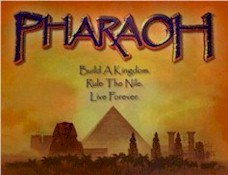
This wallpaper is the image that appears on
the front of the Pharaoh box. 800 x 600 Resolution. Cut and paste the unzipped bitmap into
the WINDOWS folder on your hardrive. To set it as your Wallpaper, right click on your
Desktop and then left click on the Properties option from the menu that pops up. The
Display Properties window will them open. Click on the Background tab, and use the scroll
bar to highlight the file you would like to set as your Wallpaper. If you have your
resolution set higher than 800x600, I recommend you change the background color behind the
Wallpaper image to Black as the picture will not take up the entire screen. Hit the
Appearance tab in the Display Properties window you just opened, and choose Black from the
Color drop-down menu.
|